Peep
Peep — minimalist system info for cozy shells.




Motivation
There are plenty of tools out there like Neofetch, but they feel like a bazooka. Too flashy, too retro, or simply not helpful for day-to-day use. Others are so minimal they miss the point — or worse, look like they haven’t been touched in a decade.
I wanted something that feels just right.
Peep is my response to that — a small, cozy, modern tool that gives me just the essentials when I open a terminal or log in via SSH. Clean output, no drama, no dependencies, and easy to grow. Just a little peep at what matters.
Quickstart
Just getting started is super easy:
curl -sfL https://peep.cozybadger.de/static/install.sh | bash -
Yep, that's it. Now run peep and enjoy. You can also read about more detailed steps in the Administrator Manual or about adjusting the configuration to your linking in the User Manual.
Description
Peep is a minimalist system information tool designed to provide essential details about your system in a clean and cozy format. It is perfect for users who want a lightweight alternative to tools like Neofetch, without unnecessary flash or complexity.
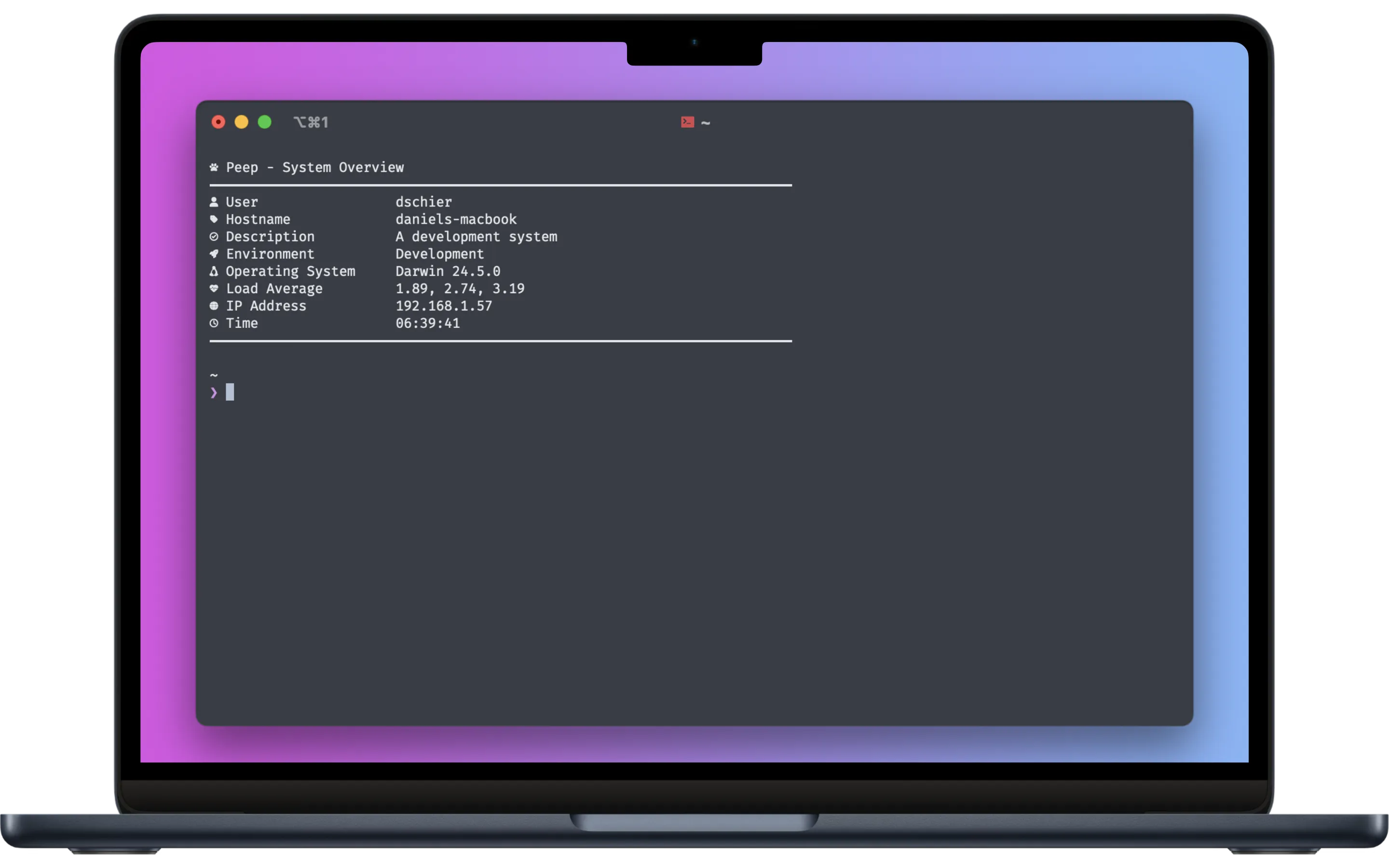
What Peep Provides
- Customizable Output: Configure what information is displayed, including user, hostname, OS version, IP address, and more.
- Icons and Colors: Add personality to your terminal with Nerd Font icons and ANSI color codes.
- Lightweight and Dependency-Free: Peep is written in Bash and does not rely on external dependencies, making it portable and easy to use.
- Modern and Clean Design: Focused on clarity and simplicity, Peep avoids clutter and provides only the information you need.
- Extensible Configuration: Easily modify the configuration file to suit your preferences, enabling or disabling features as needed.